Waveform Generation Modes -
There are two waveform generation modes for the DSM202 Module: Free Run mode and Triggered Burst Run mode. The GUI does not indicate which mode the DSM202 is in.
Free Run Mode
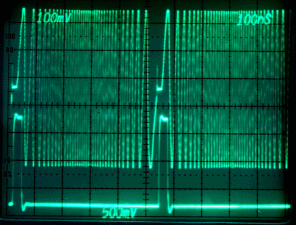
The default mode for the DSM202 module is "Free Run Mode". In free run mode, the defined chirping waveform loops continually. This mode is helpful in determining wether the output waveform is correct.
To select Free Run Mode, click abort, and then click restart.
Within free run mode, linear chirping waveform changes will automatically be updated and output. *To change the linear chirping waveform without automatically outputting, click abort, change the parameters, and then click restart.
Triggered Burst Run Mode
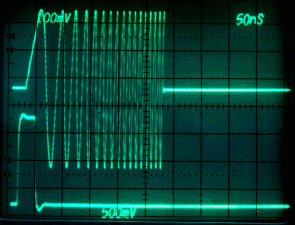
When the DSM202 module is set to "Triggered Burst Run Mode", the module begins in an "armed" state. Once the module is triggered the module will run the linear chirping waveform once. After the chirping waveform is generated the module returns to the "armed" state to await the next trigger signal.
To trigger the DSM202 module, send an external signal into the "TRIG" SMA.
The ideal trigger signal should be a 3.3 Vpp square wave offset 1.6 V from ground.
*For "TRIG" SMA location see Board Layout.
To select Triggered Burst Run Mode, click abort, and then click arm.
Mode Selection
Mode selection is done through the toolbar buttons on the main window:

The abort button is particularly important because halting the module is required for mode transitions. Merely clicking the Arm or Restart button without first aborting the last mode will result in the module entering both modes at once causing output error.
For example, the DSM202 module is running in Free Run mode. If the user wishes to transition to Triggered Burst Run mode, the user cannot merely click the Arm button. The user must first click the Abort button, and then click the Arm button.
*View the "Toolbar" section under "Application Window" for toolbar button information