API Reference -
The API file, Euvis_Module_V1p0.dll or Euvis_Module_V1p1.dll, is implemented with the CLR (Common Language Runtime) support. Languages targeting the runtime, such as C++/CLI, C#, Visual Basic, Jscript, J# and IL (Intermediate Language) assembler, can be used to reference the DSM API. In this manual, we use C++/CLI (with CLR-support) to demonstrate examples. Other languages can be applied in similar ways.
There is no need for header files or declarations of the API in CLR-supported code. The API can be referenced by adding the Euvis_Module_V1p0.dll or Euvis_Module_V1p1.dll to References (see below). All the available member properties and methods, can be identified by using Visual Studio's Object Browser. In order to use the DSM API, the users' applications need to use the CLR-support option in compiling the codes which use the DSM API. It's not required to recompile all the code but only the code using the API need to be compiled with the CLR-support option. To compile the existing code with CLR-support, simply open the Property of the concerning source codes and select Common Languag Runtime Support under C/C++:General:Compile with Common Language Runtime Support. If you are just beginning a new project, simply create the project with CLR support. The following is an example to create a new CLR Visual C++ project in Visual Studio.
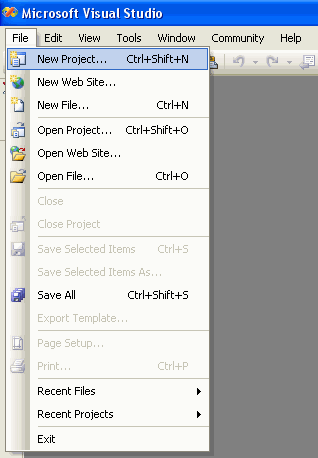
» Go to File --> New Project.
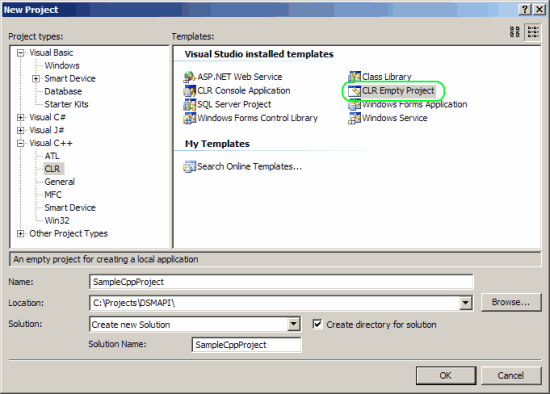
» The New Project window will open. Expand Visual C++ then click on CLR.
Select CLR Empty Project under Templates. Make sure the Location is correct and give the project a name.
Once you are done, click on OK.
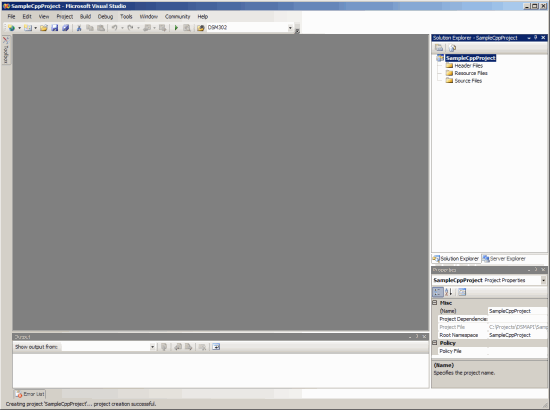
» The project should now be created. You will see three empty folders in the Solution Explorer.
Now we need to add Euvis_Module_V1p0 or Euvis_Module_V1p1
to the references of your solution in Visual Studio.
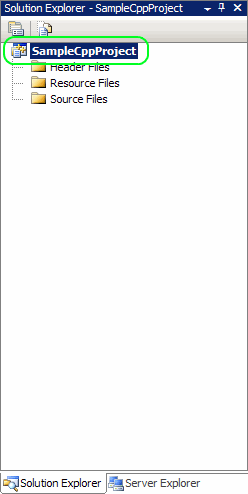
» Right-click your solutions file in the Solution Explorer. Your solution will probably be called something different than the one shown.
» Click on References in the right-click menu.
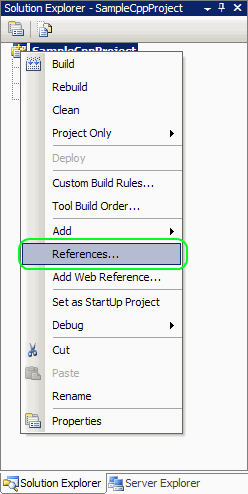
» Click the Add New Reference button.
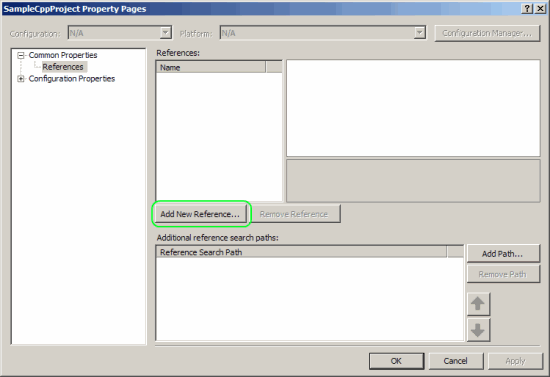
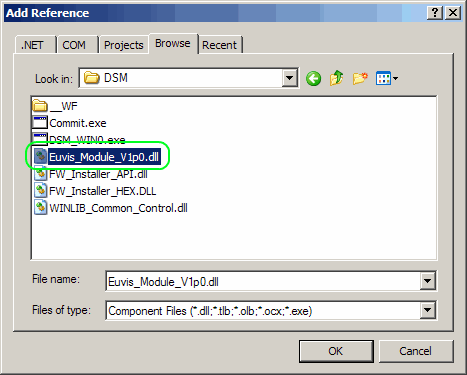
» Click on the Browse tab and then browse to the main DSM directory. By default the directory
is C:\Program Files\Euvis\DSM. Once you get to the directory, double click on Euvis_Module_V1p0.dll or
Euvis_Module_V1p1.dll then click OK.
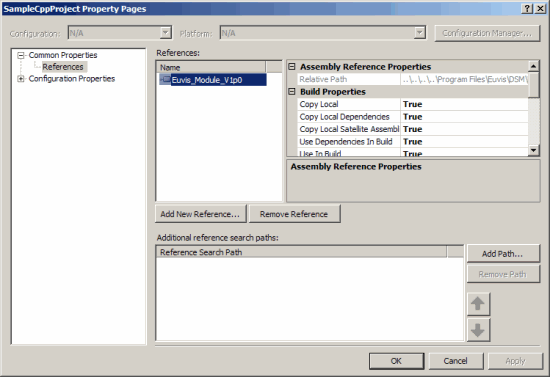
» Euvis_Module_V1p0 or Euvis_Module_V1p1 should now be listed under
References along with its path.
The Euvis_Module_V1p0 or Euvis_Module_V1p1 file provides you with all of the
functions and properties for you to control your waveforms. You can use the Visual Studio's Object Browser to
view all of the functions and properties that are available.
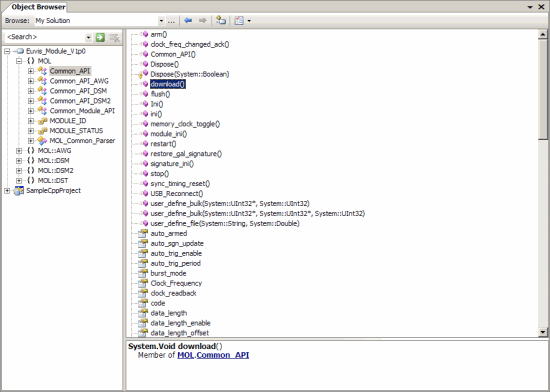
From here you would just add a .cpp file to the Sources folder and start writing your code.
In order to use the functions and properties in the API, you most use the "using" directive to include the DSM and MOL namespaces
at the beginning of your code:
	using namespace MOL;
	using namespace MOL::DSM;