Parameters -
The waveform that the AWG can output is defined by parameters common to all waveform styles and by parameters specific to the chosen waveform style. The following are common parameters:
- Memory Depth
- Data Length
- Delay
- Marker
Before going into detail about the parameters, a brief explanation of how the module works will help you understand the parameters better. All waveform data are stored on the SRAM bank on the board. The RAMs are capable of storing 4 X 1,048,576 data words, each of size 12 bits. Each value in a waveform is represented as a 12-bit data word. Since there are 12 bits available, you have a maximum amplitude resolution of 4096 (212).
The actual chip creating the waveforms is the Euvis MD652D Digital-to-Analog Converter with 4:1 Multiplexers (MUXDAC). In order to create a waveform, the MUXDAC must have a clock input. The waveform output data rate is the same as the input clock rate.
The AWG creates waveforms by storing sequences of waveform data words onto the RAM bank (maximum of 4 X 1,048,576 words) and then “feeds” these data words into the MUXDAC chip. At every clock, a new data word is sent to the MUXDAC and the analog waveform will be updated. Each set of values will also be output for one clock. You can change the default time per data word by changing the Oversampling in the Module Parameter Window. The MUXDAC is phase coherent, so the output waveform maintains the same phase even when output waveform frequencies change.
Memory Depth and Data Length
The Memory Depth should ALWAYS be greater than or equal to the Data Length. The Memory Depth specifies the number of memory addresses to make available. Although not too important, it will have an effect on the output. Go to the Memory Depth and Data Length section to get a detailed discussion regarding these two parameters. The Data Length is the more important parameter. It specifies the memory addresses to make available for the waveform so this is the parameter that will determine how many waveform data values will be output. You can imagine the waveform as a series of data points. Each data value is output for 1 clock until we reach the last value in the waveform cycle.
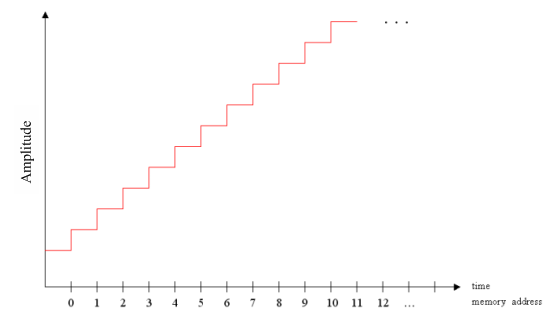
If the total number of waveform data values is greater than the Data Length, then the last waveform data value that is output is not the one you specify but, instead, is the Nth value, where N equals the Data Length. For example, if your waveform had 100 data values, but your Data Length were 4016 (decimal 64), then the actual last output value would be only the 64th value.
Therefore, assuming there is no delay, for proper waveform output based on your desired values, the necessary condition is:
Number of Data Values
 Data Length
Memory Depth
Data Length
Memory Depth
In addition, recall that there are only 4 X 1,048,576 total memory addresses available (maximum memory depth) so:
Number of Data Values
Data Length
Memory Depth
4,194,304
Please go to the Memory Depth and Data Length section to get a more detailed discussion regarding the relationship between these two parameters.
Delay
Delay specifies how many memory addresses to keep at the starting value before the waveform starts. For example if your Delay were “5” then the first 5 memory addresses would store values corresponding to the starting data value, and then at the 6th memory address, the waveform would begin. Please note that the delay is counted toward the data length. So if you set data length to 32 and had 30 data values but also set delay to 5, then the last 3 values in your waveform would not be output, since the delay and the data values together exceeded the data length.
Therefore the new Data Length relation becomes:
Number of Data Values + Delay
Data Length
Memory Depth
4,194,304
This is the guideline to use for determining proper Data Length and Memory Depth.