Free Run/Continuous Mode
In Free Run/Continuous mode, the module starts waveform generation by a Play command from the GUI or API-based applications. Once the waveform starts, the module repeats the waveform continuously. There is no latency between two consecutive waveforms. The following waveform starts right after the end of the preceding waveform. The waveform generation can be aborted by an Abort command from the GUI or API-based applications.
» With the program open, click on the Waveform tab if you are not already in the Waveform Panel.
» Click on the drop-down list and select one of the saved waveforms, such as "1/32 Sine (sine_1o32.wfa)", which is a Sine wave at 1/32th of the clock frequency. The files have the extension .wfa and are stored in your application folder or the user-defined waveform directory. You can adjust various parameters if desired.
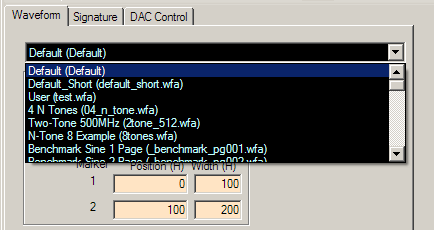
Click on the Download button near the bottom of the window or in the toolbar. Wait several seconds for the file to finish downloading.
Then press Play (or from the right-click pop-up menu).
If you are using the dynamic user paging feature and have downloaded more than one waveform, you can simply switch to another page and Restart to see the other waveform(s) without re-downloading the data.
Furthermore, continuous mode may be operated in conjunction with a triggering signal. By connecting to the TRIG SMA on the back of the AWG module, the downloaded waveform will restart the waveform at each rising trigger edge. It is recommended that the trigger signal use a LVCMOS/LVTTL 2.5 V standard.