Example 4 : N Tones
This example will show you how to create a N-tone waveform which is just several sine waves added together.
Click on the Waveform tab. In that panel, make sure that the Waveform Code is set to "4". This is the code for N tones.
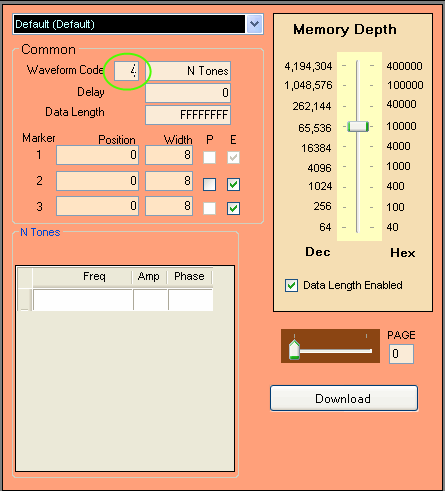
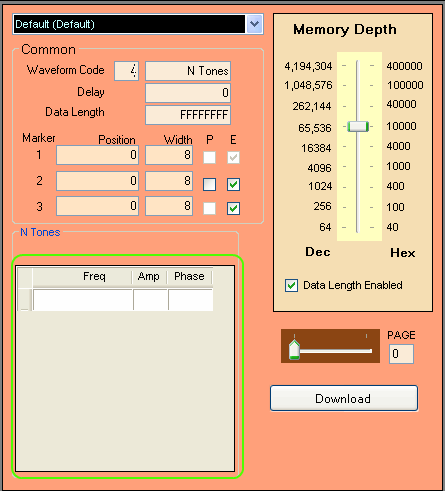
You should see that in the Waveform Type box it will say "N Tones". On the bottom, you will see a table with 3 columns.
The first column is for the frequency of the sine waves, the second is for the amplitude and the last column is for the
phase of the sine waves.
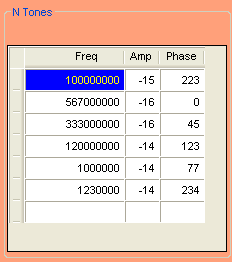
Below are the parameters for the "My N Tones" waveform. There are six sine waves added together: 100 MHz with amplitude of -15 dBc and phase
of 223 degrees, 567 MHz with amplitude of -16 dBc and phase of 0, 333 MHz with amplitude of -16 dBc and phase of 45 degrees,
120 MHz with amplitude of -14 dBc and phase of 123 degrees, 1 MHz with amplitude of -14 dBc and phase of 77 degrees, and 1.23 MHz with
amplitude of -14 dBc and phase of 234 degrees.
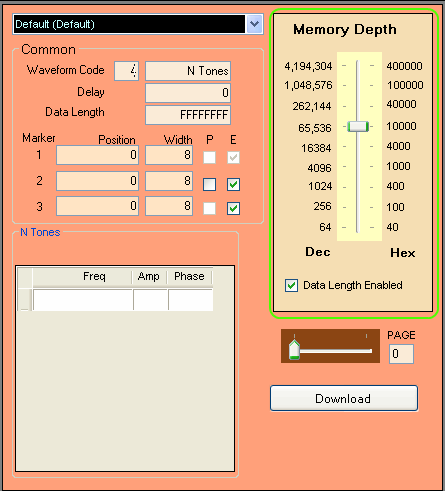
You can also change the number of points that the sine wave will have per cycle. To do this, change the Data Length to the number
of points you want and then make sure that the Memory Depth is either equal to or more than the Data Length. Please note that the
Data Length is specified in hexidecimal. For more information on Memory Depth and Data Length, please see the
Memory Depth and Data Length page.
Press the Download
button (at the lower right corner of the waveform panel). You
must press the Download button each time you finish changing the parameters.
Press the Restart button as needed to restart the waveform.